Pea of Sweetness

  • Home
  • My Shop
  • About Us
    • About Emilee & Pea of Sweetness
    • Awards
    • Contact Us
    • Disclosure Policy
    • Privacy Policy
  • Work with Me
    • PR Information & Media Kit
    • Sponsor/Advertising Info
    • Sponsorship Opportunties
  • Proudly Part Of
  • Blogs I Enjoy
  • Faith
  • Family
    • Parenting
      • Parenting Special Needs Children
    • Pets
  • Homeschooling
    • Homeschool Reviews
      • Preschool Reviews
    • Homeschooling Special Needs Children
    • 5 Days of Tips for Homeschool Parents
  • Homemaking
    • Meal Planning
    • Recipes
  • Special Needs
    • Autism
    • Sensory Processing Disorder
    • Cancer
  • Natural/Eco-friendly Living
    • Natural/Eco-friendly products
  • Health & Fitness
    • Health and Fitness
    • Wellness Wednesday
  • Reviews & Giveaways
    • Current Giveaways
    • Giveaway Linky
    • Reviews
    • Winners
    • Blogger Opps
  • Travel
    • Ohio Attractions
    • Ohio Events

Jolly Phonics and Jolly Grammar Review

August 24, 2016 by Emilee Evans

Our once resistant six year old has been loving Jolly Phonics from jollyliteracy.com. He has been learning his letter sounds in a whole new way and has been making amazing progress! Plus he’s had a great time singing songs in Jolly Songs to help reinforce his learning! just2ducks LLC also sent us Jolly Grammar from their jollyliteracy.com division for our Jolly Grammar and Jolly Phonics review.
Jolly Grammar and Jolly Phonics Review

Jolly Phonics Review

Chaz has been using Jolly Phonics regularly (3-4 days per week). I started him at the very beginning because he has writing challenges due to his special needs. Although he does know many letter sounds, I thought it would be best to follow the progression as it is presented in Jolly Phonics.
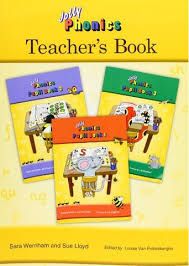
The Jolly Phonics program includes three Jolly Phonics Student Books – Jolly Phonics Student Book 1, 2 and 3. It also includes the Jolly Phonics Teacher’s Book in print letters which covers all three of the Student Books.
The Teacher’s Book offers daily guidance for teaching the Jolly Phonics program. It includes a detailed introduction as well as detailed information for the concepts the child will be learning including:

  • The Letter Sounds of the English Language
  • Learning the Letter Sounds
  • Learning Letter Formation
  • Reading (Blending)
  • Identifying the Sounds in Words
  • Tricky Words

I was impressed with all the details it includes. Once it breaks down into the Daily Guidance for Teaching, it explains the best way to go about teaching the lessons. We have been using Book 1, so each lesson includes a story to read to introduce the letter sounds. Each letter sound is taught using an action to help them remember the letter sound, so the story helps to introduce this action as well.
Jolly Phonics and Jolly Grammar Review

Jolly Phonics Review – Student Book 1

Chaz has been happily working through his Jolly Phonics Student Book 1. He’s been learning individual letter sounds as well as progressing to blend those letter sounds as the new letter sounds are introduced. He has been working on writing his letters as well as identifying pictures/words that contain the letter sound.
We have been treating each letter sound as a lesson. So each one is one page long. So each lesson only takes around 15-20 minutes. His biggest struggle is writing the letters. He has been enjoying the lessons so much, though, that he is actually attempting to write the letters, which is major progress. Generally he refuses to even try. We also brought out the white board to give him more practice as well.
Jolly Phonics Review

Jolly Phonics Review – Student Books 2 & 3

We haven’t yet progressed to the Jolly Phonics Student Book 2 and Student Book 3. They are quite a bit different. In Student Book 1 we continue to progress through letter sounds and blending them together through the basic 42 letter sounds. Starting in Student Book 2 there are already full words presented right at the beginning. It presents alternative letter-sound spellings, more handwriting, tricky words and words and sentences. Capital letters are also introduced.
Jolly Phonics Student Book 3 presents more letter-sound alternative spellings, tricky words, comprehension and words and sentences. Of course, it also includes handwriting, but in this book there is free writing and dictation.

Jolly Songs Review

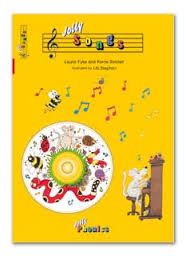
Jolly Songs complements what we’ve been learning in Student Book 1. It presents the letter sounds in songs written to familiar tunes. It includes a music CD you can play to sing along. I found knowing the tune alone made it possible to sing the songs without the CD. The songs also include the motions he has been learning to remember the letters.
Jolly Phonics and Jolly Grammar Review

Jolly Grammar Review

We haven’t yet progressed to Jolly Grammar. It includes the Jolly Grammar 1 Teacher’s Book in print letters and Jolly Grammar 1 Student Book. If following the recommended progression, Jolly Grammar follows the completion of all three Jolly Phonics books. It builds on what they have learned in Jolly Phonics and covers a variety of grammar concepts including: common nouns, pronouns, plurals, verbs (including conjugating verbs), adjectives, adverbs, definite and indefinite articles, sentences, questions, identifying parts of speech, improving vocabulary and using a dictionary.
I am really surprised by all it covers! The Teacher’s Book once again provides detailed information about the concept they’ll be learning as well as lesson information. Each lesson is one page long and has a corresponding page in the Teacher’s Book.
Jolly Grammar Review

Connect with jollyliteracy.com (just2ducks LLC)

Website | Facebook | Twitter | Pinterest
Other members of the Schoolhouse Review shared their Jolly Grammar and Jolly Phonics review as well. They have children of different ages and abilities, so be sure to check out their reviews by clicking on the banner below!
Jolly Phonics and Jolly Grammar Review
 
Crew Disclaimer
 

Talking Shapes is Now Online {Talking Shapes Review}

August 4, 2016 by Emilee Evans

Recently, our youngest son (age 6) has been exploring a familiar phonics program in a different setting. Previously for our Talking Shapes review we reviewed this program as an app on their iPad. Now Talking Shapes: A Supplemental Curriculum for Early Literacy is available online. This phonics supplement from Talking Fingers Inc. is ideal for the Preschool to Kindergarten age range that teaches children that letters are “talking shapes” that stand for speech sounds.
Talking Shapes Review
Our previous Talking Shapes review was just over two years ago, and our youngest son wasn’t quite ready for it. Although he has started using it on the iPad, he was really excited for the opportunity to use it on the computer. We have been using it on my touchscreen laptop running Windows 10. The program is accessed online by signing into your account and clicking over to it. The progress is continually saved so you can start off where you left off. We have been using it in Google Chrome. Sometimes it does take a while to load, so I simply let it load before telling Chaz we’re ready to begin.
I personally love the concept of the letter shapes. So many times letters are associated with pictures that don’t represent the letter itself. It doesn’t simply use a picture to represent the letter. It actually creates the letter within the picture. It’s a great way to create a visual while also representing the sounds letters make!
Talking Shapes {Talking Fingers Inc. Review}
Talking Shapes tells a story of two sisters and how they “invented” the alphabet long ago. It includes seven stories total that introduce all the speech sounds and letters in the English Language. With each story new speech sounds are introduced to build upon what they have learned. The layout is great for reinforcing what they’ve learned while easing into new letter sounds as well.
In addition to learning letter sounds, Chaz has been learning to write the letters as well. Talking Shapes focuses on the capital letters, though, which contradicts most other phonics programs we have been using. Although it is designed as a supplement, I do find it can be confusing if it’s being used at the same time with another phonics program that focuses specifically on lower case letters.
Talking Shapes {Talking Fingers Inc. Review}
Talking Shapes also offers various activities including putting together 3 letter words using the sounds they’ve learned. There are reading games at the end of each story that offer the opportunity to further reinforce putting together the sounds to make words. Chaz particularly likes the games where he puts together the letter sounds into words because each time it is correct a bird lays a golden egg. If all answers are correct it will complete the puzzle and the babies hatch. If not, he can go back to fix any he missed.
Additionally, there is a game to help reinforce the learning of these words. It will read a story and create blanks one at a time. Balloons with the words fly overhead, and he has to pick the one that has the word. Unfortunately, this proved to be frustrating for him. It was challenging for him to try to read moving words, but it also took a few clicks to get the balloon to pop. I even attempted to have him point it out so I could click on it, but I had the same problem.
Talking Shapes {Talking Fingers Inc. Review}

Talking Shapes Review

Overall, it was interesting to try Talking Shapes on a computer, but Chaz and I mutually agree it’s better on the iPad. Despite having a touch screen, the only touch features that worked were clicking over to the next page. He was unable to write the letters with his finger and had to use the touchpad. Since that was too difficult he would simply “color it in” rather than writing it. To encourage writing the letters, I would have him write it with his finger first and then use the touchpad. I attempted to follow instructions for resolving these issues as they have been making updates, but they were unsuccessful at this time.
Despite some of the technical difficulties, the program as a whole loaded and ran fairly well. It was nice seeing the story on a bigger screen. I loved that it saved our place so we could simply hop on and start where we left off. Plus, Talking Shapes really does allow children to go at their own pace. Chaz liked to listen to the whole story and complete all the activities and games for that story all at once. It could definitely be broken down into multiple days, though.
I do appreciate the concept and find it’s a great phonics supplement when used at a different time than other phonics programs. I do agree with other programs that lower case letters should be taught first as they make up a majority of our words. Some children may not have a challenge with learning both at the same time. Due to our son’s special needs and developmental delays, though, it’s not ideal to use this program while he’s learning letter sounds and writing lowercase letters.

Connect with Talking Fingers

Website | Facebook | Twitter | YouTube
Other members of the Schoolhouse Review Crew have been using Talking Shapes app with their children of various ages and stages as well. So be sure to see what they thought by clicking on the banner below!

Talking Shapes {Talking Fingers Inc. Review}
 
Crew Disclaimer
 

Homeschool Math for Grades K-12 {CTCMath Review}

August 3, 2016 by Emilee Evans

Sometimes we are blessed with the opportunity to review curricula we have reviewed in the past and see it in a whole new way. That has been the case with CTCMath! Now that the kids are at different ages and stages (and our youngest is now at school age) we found that CTCMath is actually what we’ve been looking for! We have been using the CTCMath Homeschool Membership with all three of our children for 3rd Grade and Kindergarten, and it’s been a good fit for all!
CTCMath ReviewCTCMath is an online homeschool Math program for grades K-12 and quickly became our predominant math curriculum for all three of our children. CTCMath is a comprehensive tutorial program that walks kids through video lessons that are followed by questions. Kids can watch the videos as many times as needed. They are generally fairly short. I don’t think we’ve had one yet that was much more than 5 minutes. This is perfect for our kids’ short attention spans and concentration challenges, yet they really are absorbing what they’re learning.
Students can complete the CTCMath lessons in a short amount of time. They can likely complete more than one lesson in a day without feeling overwhlemed. We, personally, still started with just one lesson a day about 4-5 days per week. I have kept it to one lesson a day for our youngest (Kindergarten) because it does take a bit longer as I sit with him to do the lessons. Our older two children, though, have been completing two lessons a day and still are generally done within 30 minutes.
CTCMath Homeschool Math Video Lesson
The homeschool math videos teach topics step-by-step along with showing examples of the problems. What I love is not only do they show the example questions, but they explain how to solve them. The videos present the solutions slowly so many times the kids can answer the questions first. They feel like they’ve gotten some practice before they’ve even started the questions!
The questions in the lesson are directly related to what they are learning. Although there is some reading involved, there is an option to click on the speaker and have the question read to you. This helps our oldest son (who has a reading delay). It also helps our youngest learn how to work independently. As I mentioned, I do sit with him, but I love that he’s trying to navigate it on his own. This speaker feature makes that possible!
CTCMath Homeschool Math Questions
After they have finished all the questions, it will then show the questions they got incorrect and reveal the correct answer. I, personally, take this opportunity to go over those questions with them and help them work out the correct answer. CTCMath gives them percentage based scores when completed.
They are able to answer the set of questions again (though the questions will be different) to improve their score. If they choose this option, it then takes the averages of the scores. It does offer a reward system for those that average a 95% or higher will get a gold medal, next is the silver medal and so on. There are printable certificates you can display!
Unfortunately, our printer hasn’t been working, but here are examples of the certificates they earned in the past:
CTC Math Review
Additionally, CTCMath offers Diagnostics Tests. These tests basically present questions covering all the topics in the lesson. Since we were starting at a completely new point, this helped me determine where they would start. If they completed the Diagnostic Test with a 95% or higher I gave them the option to skip ahead to the next topic until they weren’t confident they already know the material. I (and they) really appreciated this because they didn’t have to start from the beginning!
With the CTCMath Homeschool Membership, families with more than one child can choose the Family Plan for 2 or more children. Each child gets their own individual login so they can be at various grade levels. You can access all of the homeschool math lessons and questions online. A child can pick up right where they left off when they log in again!
CTCMath Homeschool Math Parents Area
CTCMath also has a login specifically for parents. Parents can see all of their students and get a thorough view of their progress. In the parent dashboard I can see all of their recent activity, view detailed reports, view summary reports, and view any certificates earned. Although I can see this information in their individual accounts, it’s so convenient to see the information for all of them at once. Plus, I have the option set to get regular emails with report information! There is also an additional option to Add Tasks, but I, personally didn’t explore this feature.

CTCMath Homeschool Math Review

CTCMath Review Homeschool Math
Overall, I think CTCMath is a good online homeschool Math program. It teaches lessons in a way that keeps kids’ attention. It has great features like the parents’ area and the option to read the questions to you. CTCMath teaches in a way that is similar to how I teach it. Plus they get to learn at their own pace. I get to help them with challenges, but also get to give them a little independent time. They have made some great changes since our last review. It’s definitely a good fit for our family!

Connect with CTCMath

Website | Facebook | Twitter | Pinterest | YouTube | Periscope
Many members of the Schoolhouse Review Crew had the opportunity to review CTCMath with their families. With different ages and grade ranges their experiences may differ. Click on the banner below to read their reviews!
CTCMath Review 
Crew Disclaimer 

Orphs of the Woodlands at Tangletree {Star Toaster Review}

July 29, 2016 by Emilee Evans

We love educational apps. This is especially true when we’re constantly out and about like we have been lately. I love that we can take learning on the go! Our daughter has been using Orphs of the Woodlands at Tangletree from Star Toaster.
Star Toaster Review
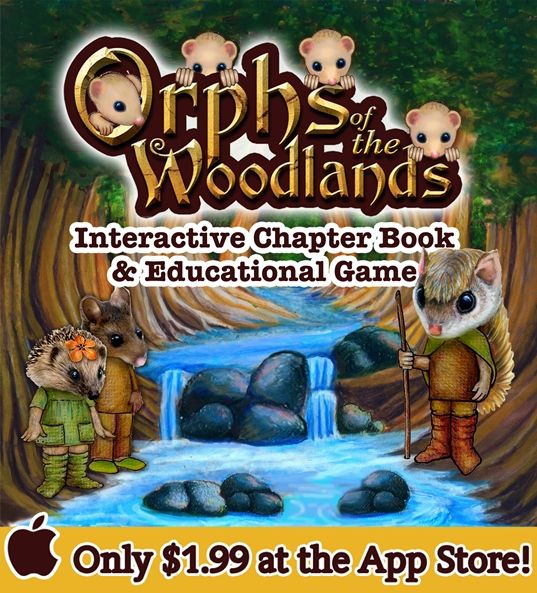
Star Toaster offers interactive books with fun, educational games. Their online interactive book, Orphs of the Woodlands, is used and loved by many. They recently introduced the Orphs of the Woodlands at Tangletree, an app for iOS. It’s recommended for ages 7+, though it is noted in the app information that it’s made for ages 9-11. It really brings the Orphs of the Woodlands to life right there on an iPad, iPhone or iPod Touch running iOS 8.0 or later!
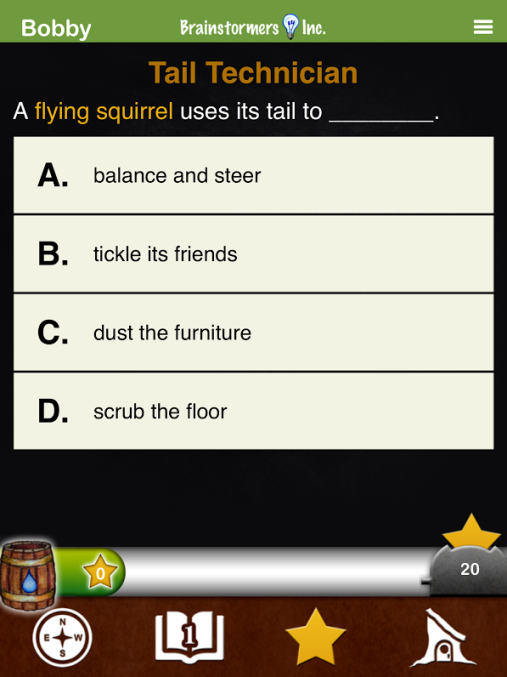
Orphs of the Woodlands at Tangletree offers a 122 page illustrative interactive chapter book. It has 75 lessons that contain a variety of subjects including: science, grammar, math, vocabulary and arts as well as thinking skills and life skills. It is all presented in such a fun, unique way!

Star Toaster Review: Orphs of the Woodlands at Tangletree

Orphs of the Woodlands at Tanglegate Review
Aurora has really been having fun with Orphs of the Woodlands at Tangletree. Although she is reading a book and answering educational questions, it just feels like fun. It gives her tasks as she has to take care of the orphs (animal orphans) and complete jobs to get supplies for the orphs. I am really impressed by this layout. They include so much learning, and it’s all done in a way that encourages her to keep going and learning new things so she can complete the jobs. As someone who loves animals it particularly resonates with her because she loves helping the animals.
Aurora is 8 and is reading at about the 2nd – 3rd grade level, but this educational app was challenging for her at first. What I discovered, though, is reading the story wasn’t the challenge. She just wasn’t sure how to take the next steps. For example, as she is reading there are links built in to the story. It’s through these links that they are taken to a lesson, which they need to complete the jobs. The jobs contain questions that are based on the lessons.
Orphs of the Woodlands at Tanglegate Review
Together we worked through it to find what the best way is to approach it. Aurora does best when she reads the entire chapter first, and then she goes back and clicks on the links for the lessons. After she has completed the lessons she goes to the town to see jobs that are available to her. She then visits her goals to see if she has earned enough gold stars through the jobs to complete any goals.
Aurora has been using the Orphs of the Woodlands at Tangletree on my iPhone 6S with iOS 9.3.3. It has run smoothly without any issues.

Parent Features

Star Toaster Review Orphs App
There are special features available to me as a parent as well, which is very helpful. I can see her progress and work including how many lessons and job she’s completed in the various subjects. Additionally, I can add other users. So, as our other two children are able to read at that level, I can add them as well. In the case of multiple children parents are able to view progress for each child.
Overall, we have really been enjoying Orphs of the Woodlands at Tangletree. It’s a great app full of fun, educational experiences. It’s presented in a way kids enjoy. Parents are able to keep track of progress, and multiple users can be added. Plus, there will be at least one more book added in the future! Kids get to learn while having fun and feel accomplished when they reach their goals and help the orphs!

Connect with Star Toaster

Website | Facebook | Twitter | Pinterest
Other members of the Schoolhouse Review Crew had the opportunity to share a Star Toaster Review as well for the Orphs of the Woodlands at Tangletree app. See how they’ve been using it with their families by clicking on the banner below.
Orphs of the Woodlands at Tangletree Review
 
Crew Disclaimer
 

« Previous Page
Next Page »

Recent Posts

  • Blog Under Construction
  • How to Manage (and Use) all Those Pictures of Your Kids
  • Castaway Bay Getaway for Family Fun
  • 5 Winner Utzy Naturals Allurtica Seasonal Relief Giveaway! $262 TRV Giveaway!
  • Spend the Day at Castaway Bay {Enter to Win 4 Day Passes!}

Recent Comments

  • catofashions coupons on Affordable Women's Fashion and Accessories
  • Happy Hiller on Keep Your Home Connected with Netgear Arlo Smart Home from Best Buy
  • Pencil Sketch Drawing on Learn to Draw a Cat {Drawing Tutorial}
  • fast apps apk on Learn to Draw a Cat {Drawing Tutorial}
  • strobe light on Learn to Draw a Cat {Drawing Tutorial}

Archive

Categories

Meta

  • Log in
  • Entries feed
  • Comments feed
  • WordPress.org

Copyright © 2026 · Beautiful Pro Theme on Genesis Framework · WordPress · Log in